01
One class list. Ready everywhere.
Create a class or connect a saved My Library roster. Choose from 30 original animal characters.
See how it works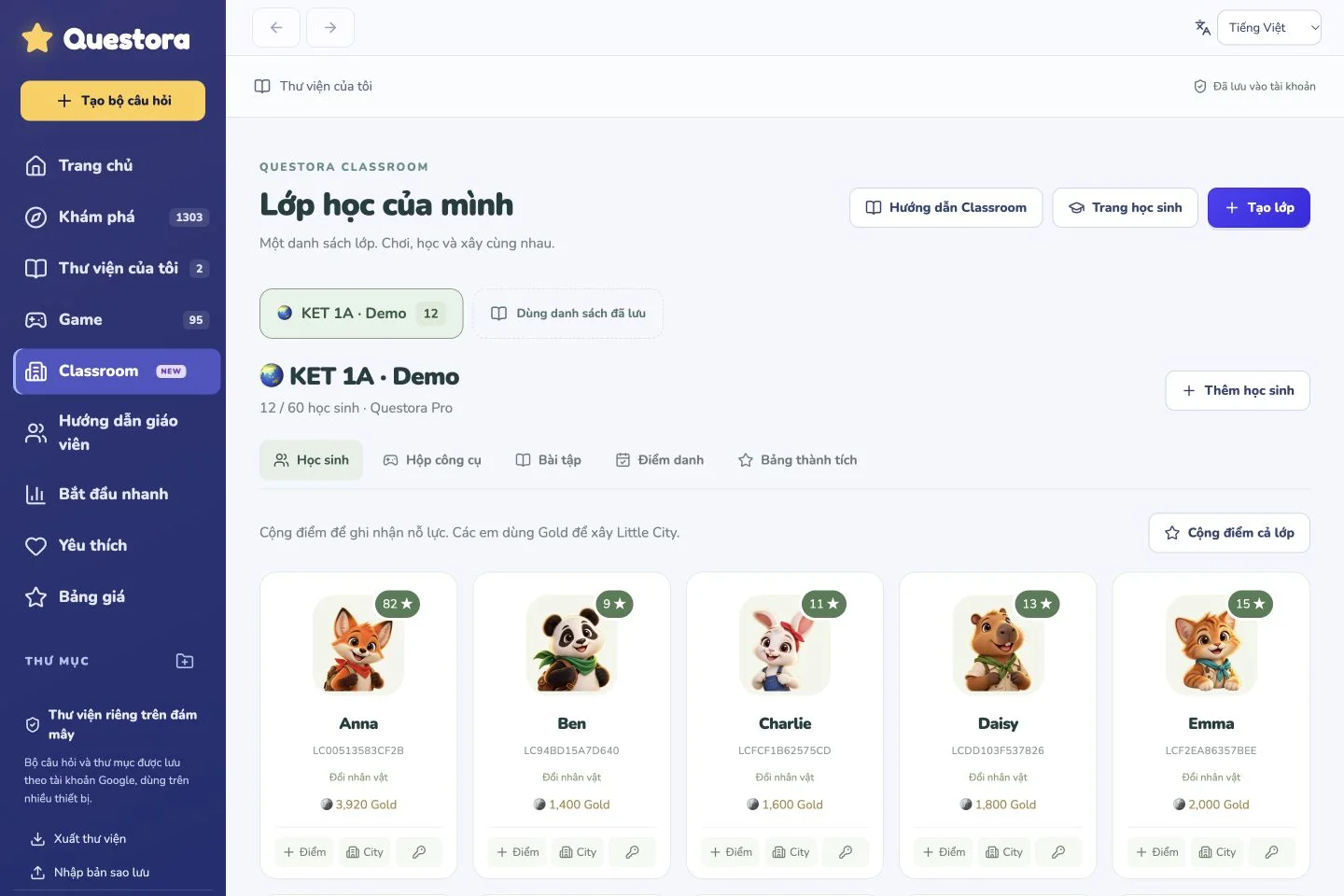
One class list for games, rewards and homework. A city of their own, built with the effort they bring to learning.
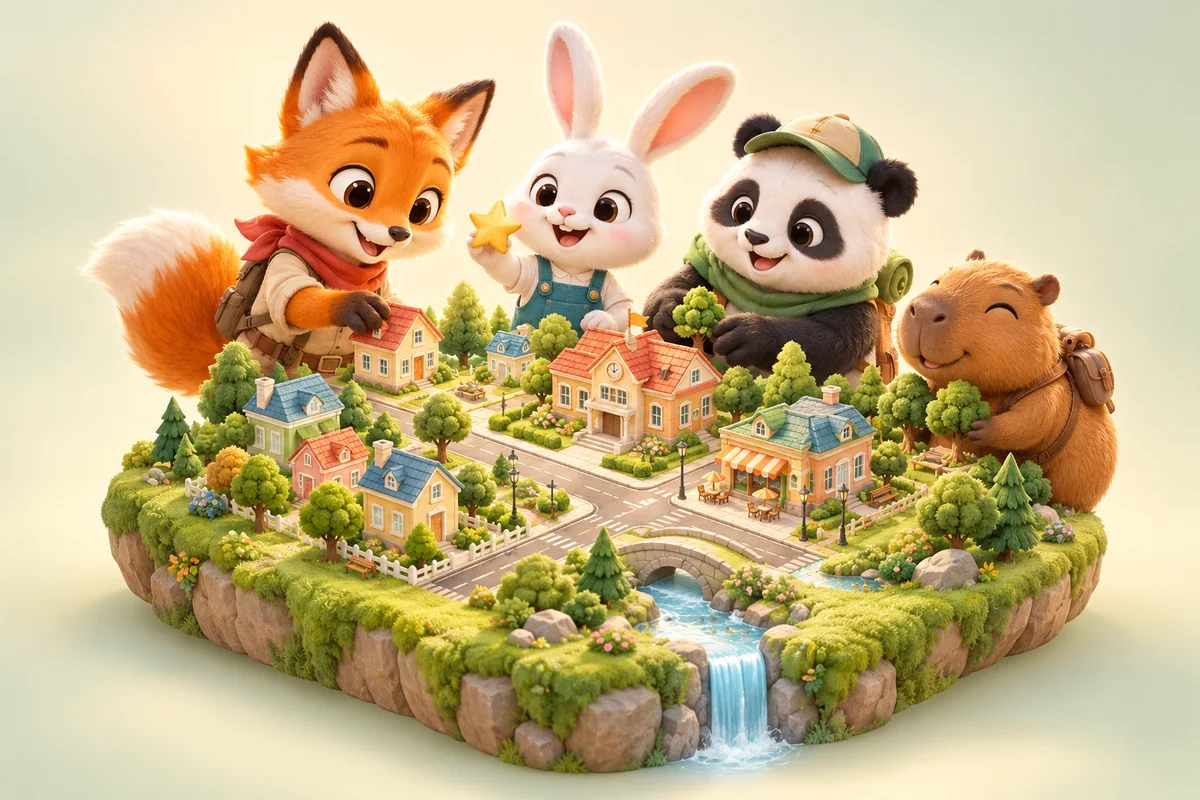
Prepare once. Keep your class learning, playing and creating.
Create a class or connect a saved My Library roster. Choose from 30 original animal characters.
See how it worksAward one student or the whole class. 1 Point = 100 Gold. Building never spends earned Points.
See how it works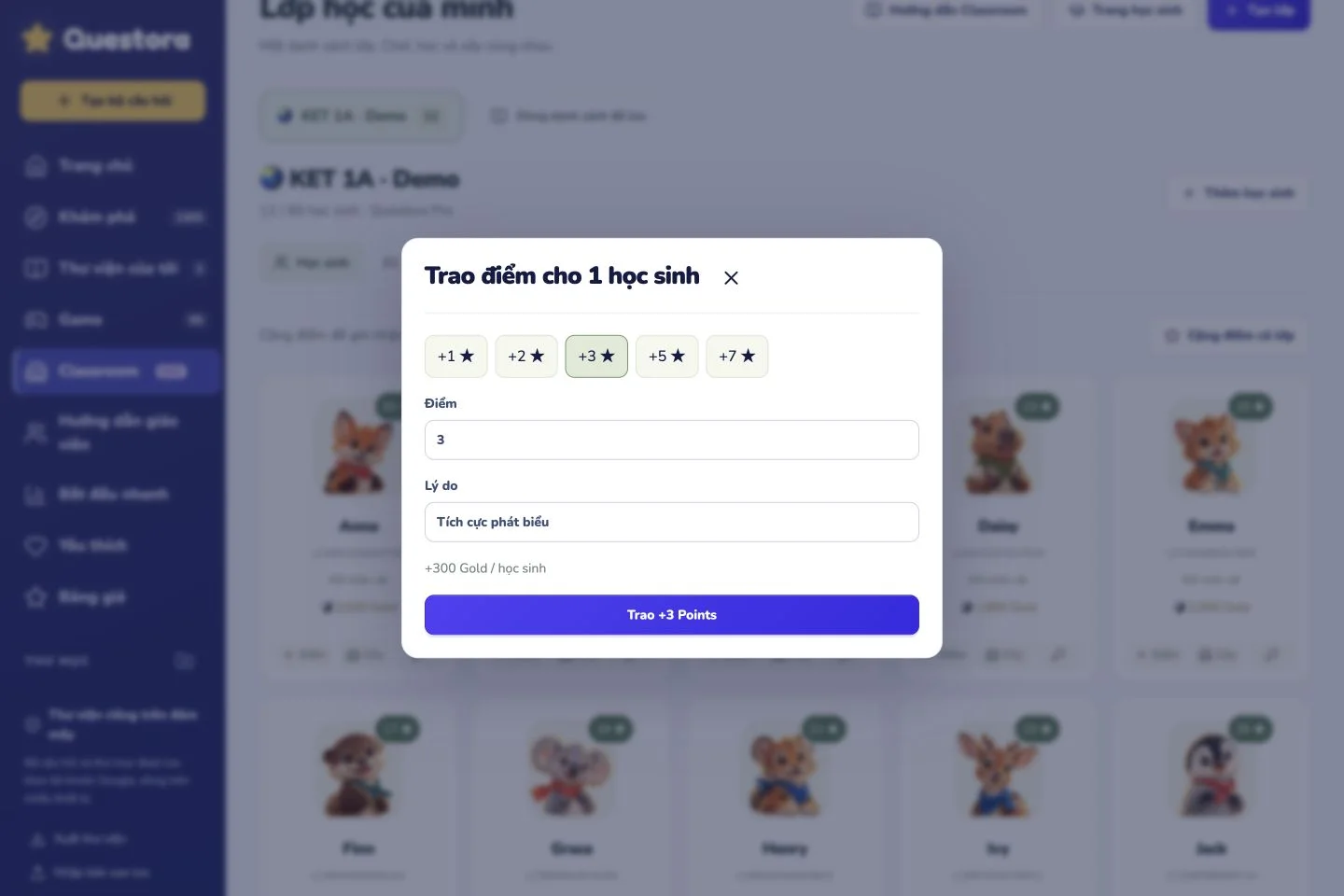
18 Student Pickers and 6 Team Pickers use the same roster. Award points while hosting.
See how it works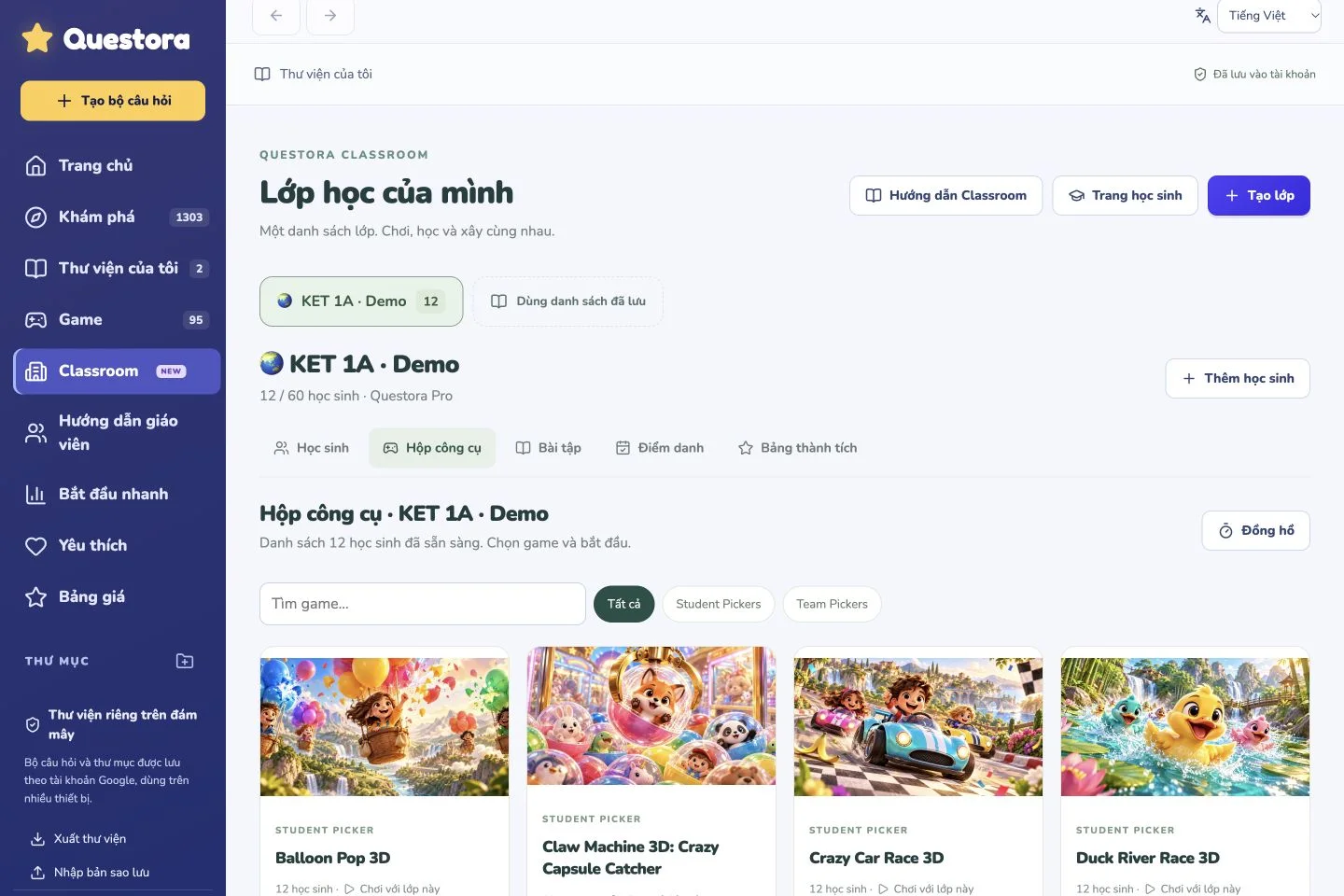
Assign from My Library, set a deadline and attempts, and see results. Completion rewards are given once.
See how it works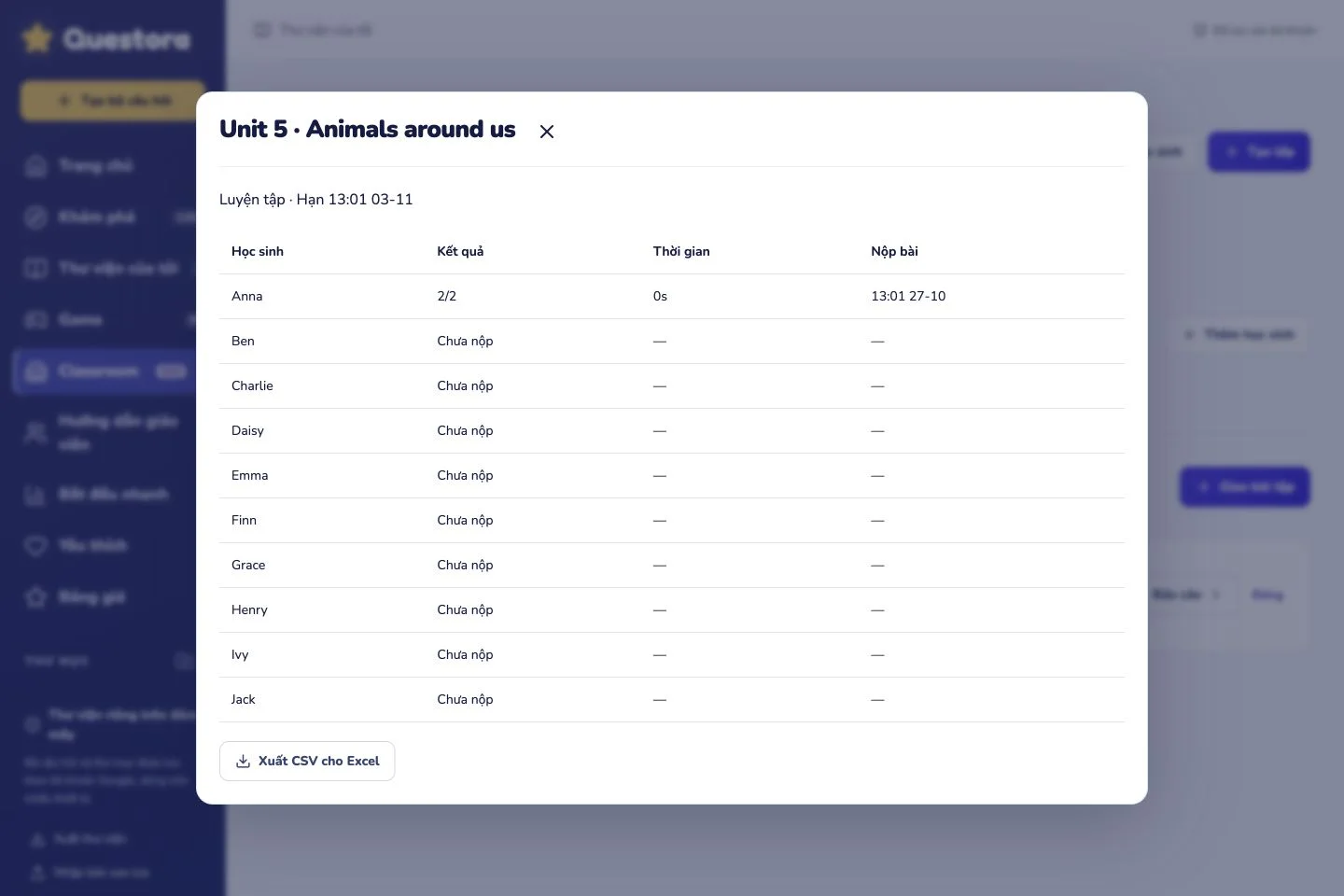
Sign in with a teacher-issued ID and password. Drag, place, rotate and expand a city on a phone.
See how it works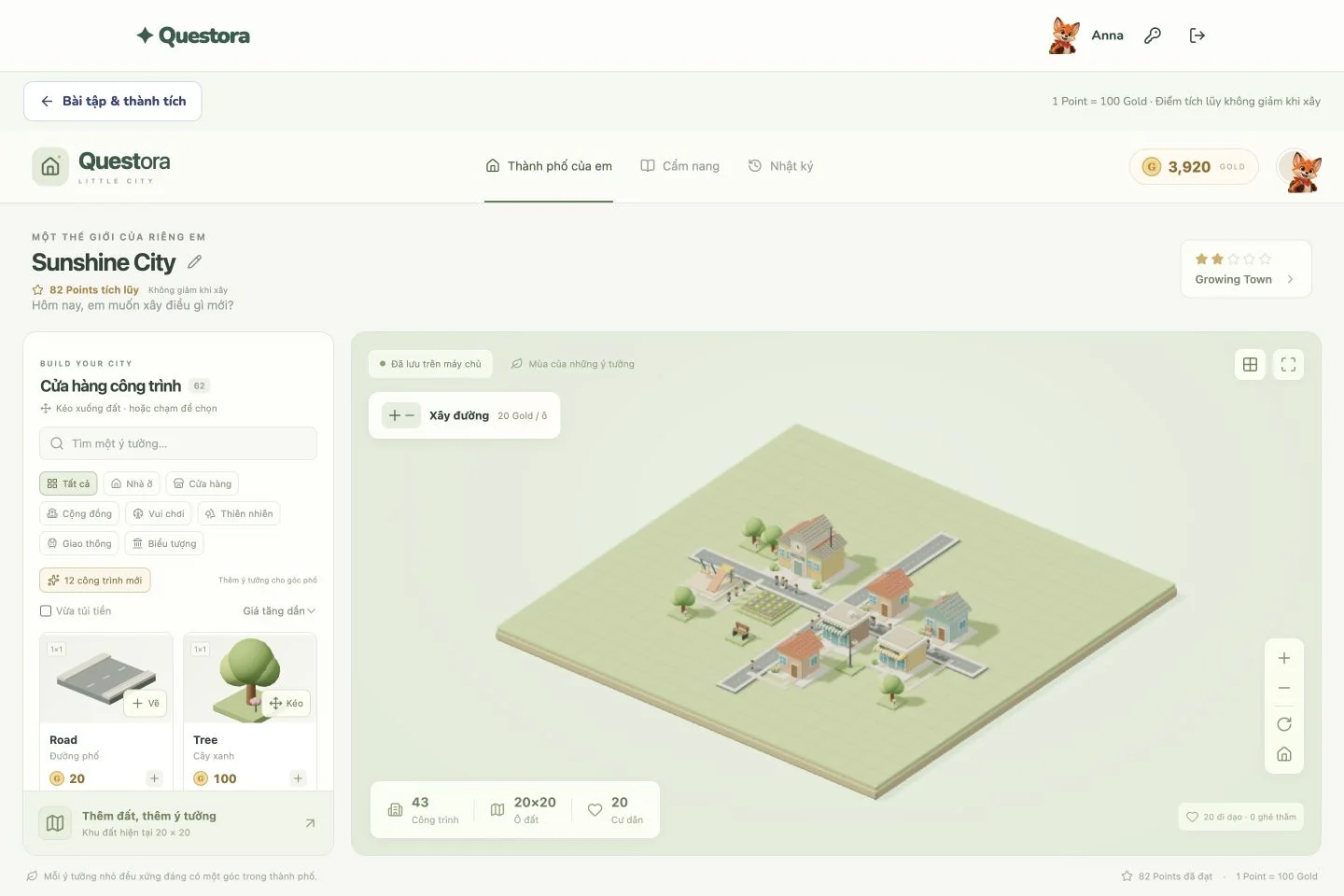
Create a class → award points → play → assign → build.
Captured with a synthetic demo class, with no real student information.
6 clear steps, with real product screenshots and a synthetic demo class.
Open Classroom → New class, enter a name and save. Already have a My Library roster? Choose “Use saved roster” to connect it.
Open Classroom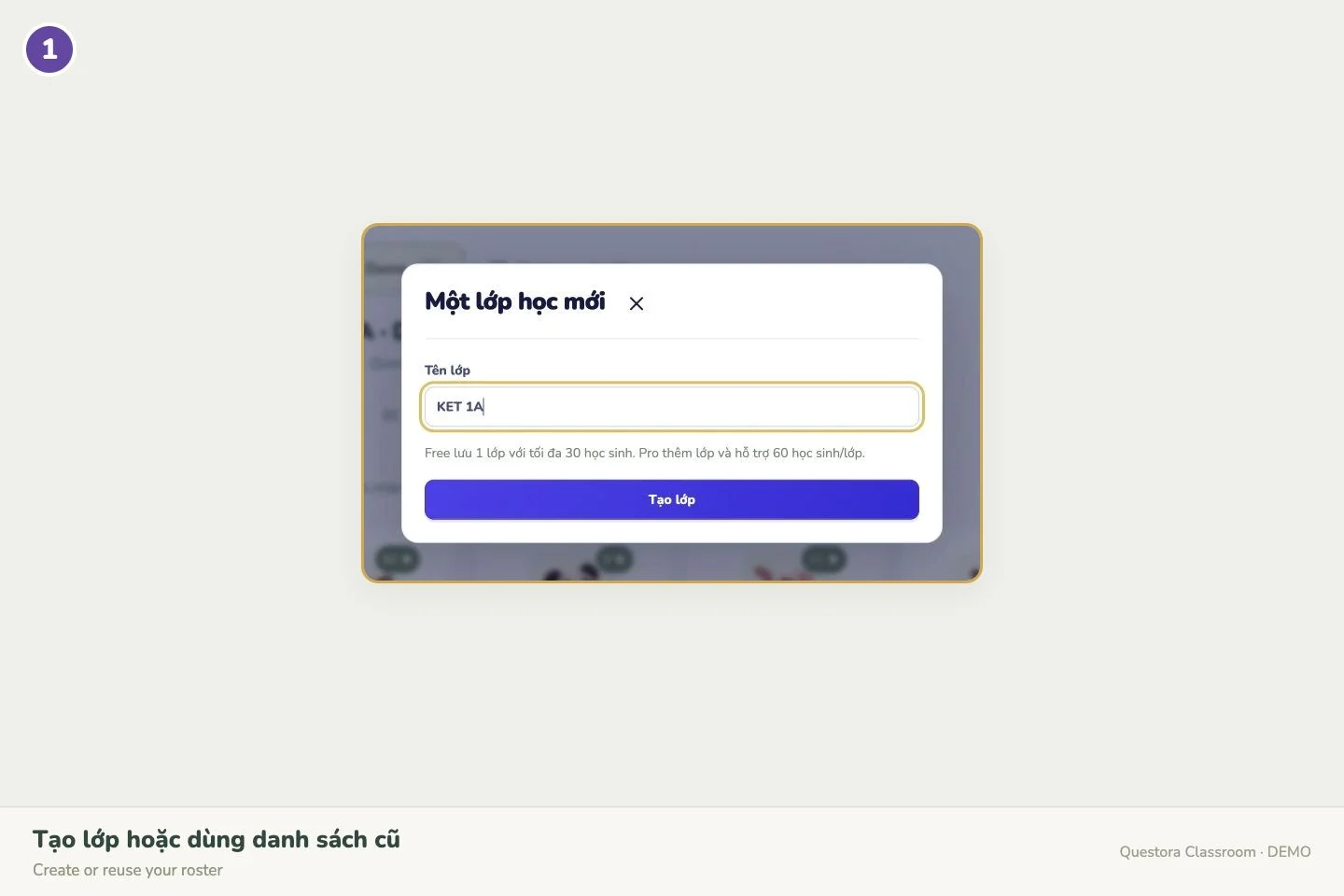 ↗ Enlarge screenshot
Choose Add student, enter a name and pick an avatar. After saving, copy the ID and password and share them privately with that student.
Open student list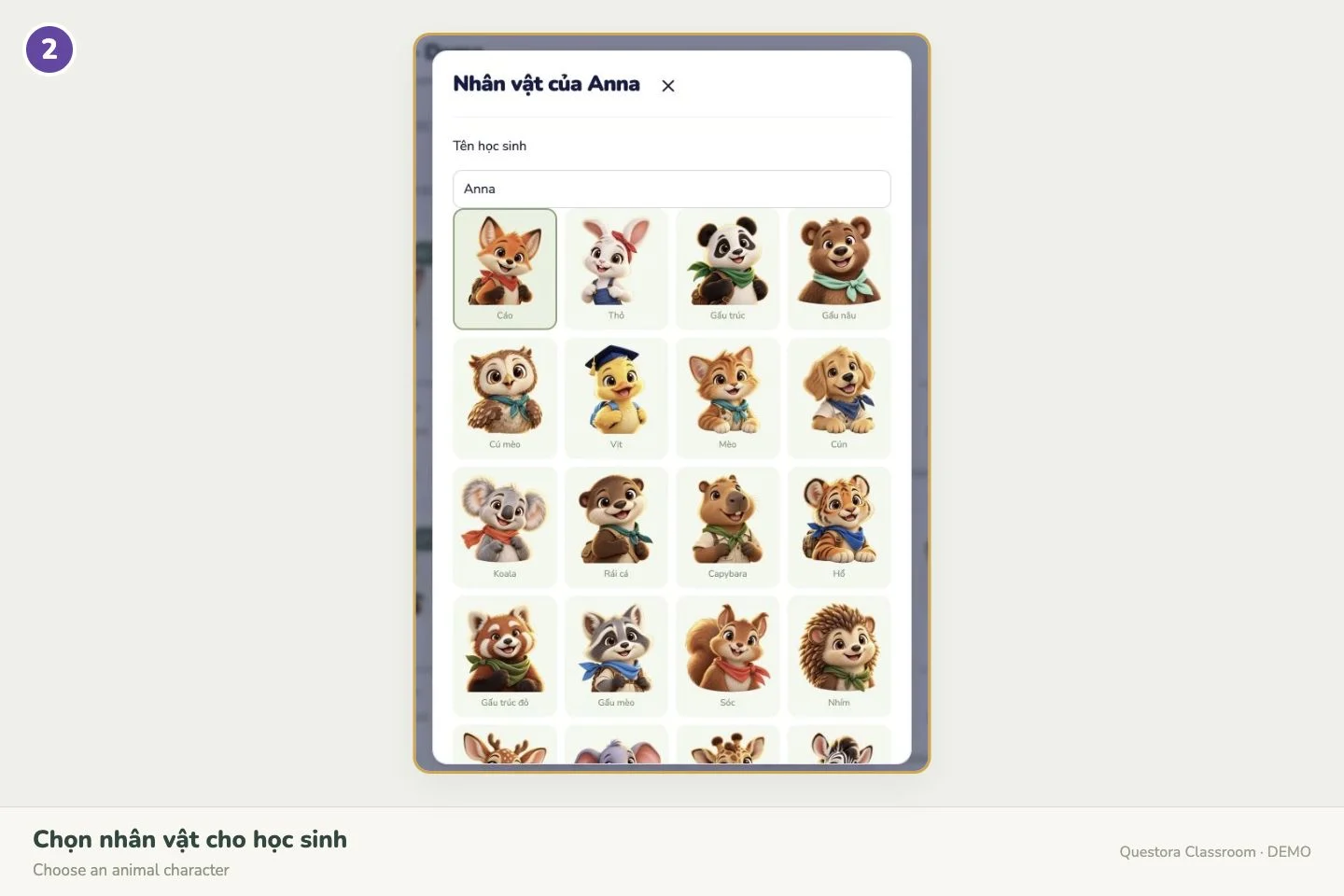 ↗ Enlarge screenshot
Click a student or “Cộng điểm cả lớp” (award the class). Choose the points and reason, then confirm.
Open class rewards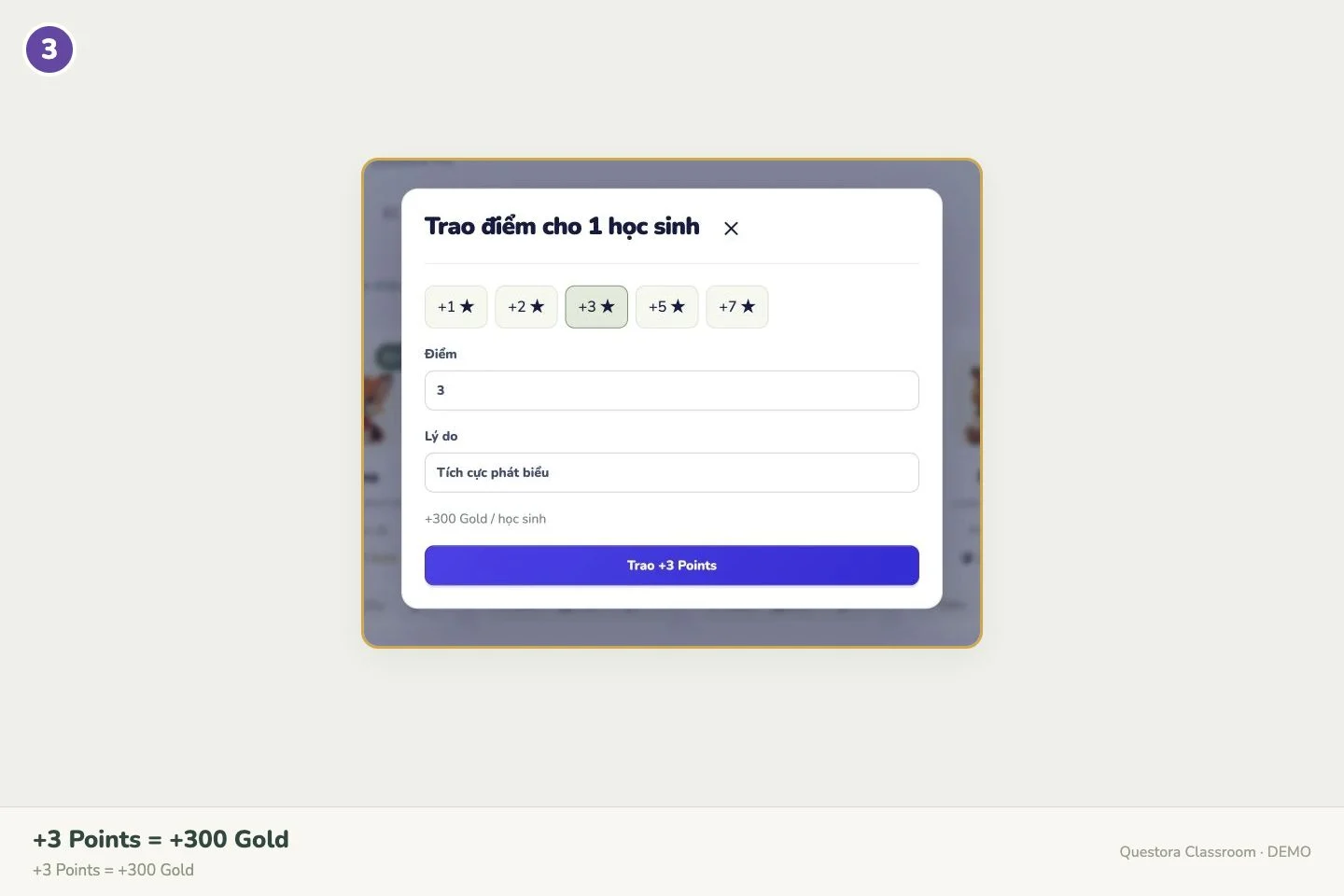 ↗ Enlarge screenshot
Open Toolkit and select a Student or Team Picker. The game receives your class list, with a Classroom points button on the host screen.
Open Toolkit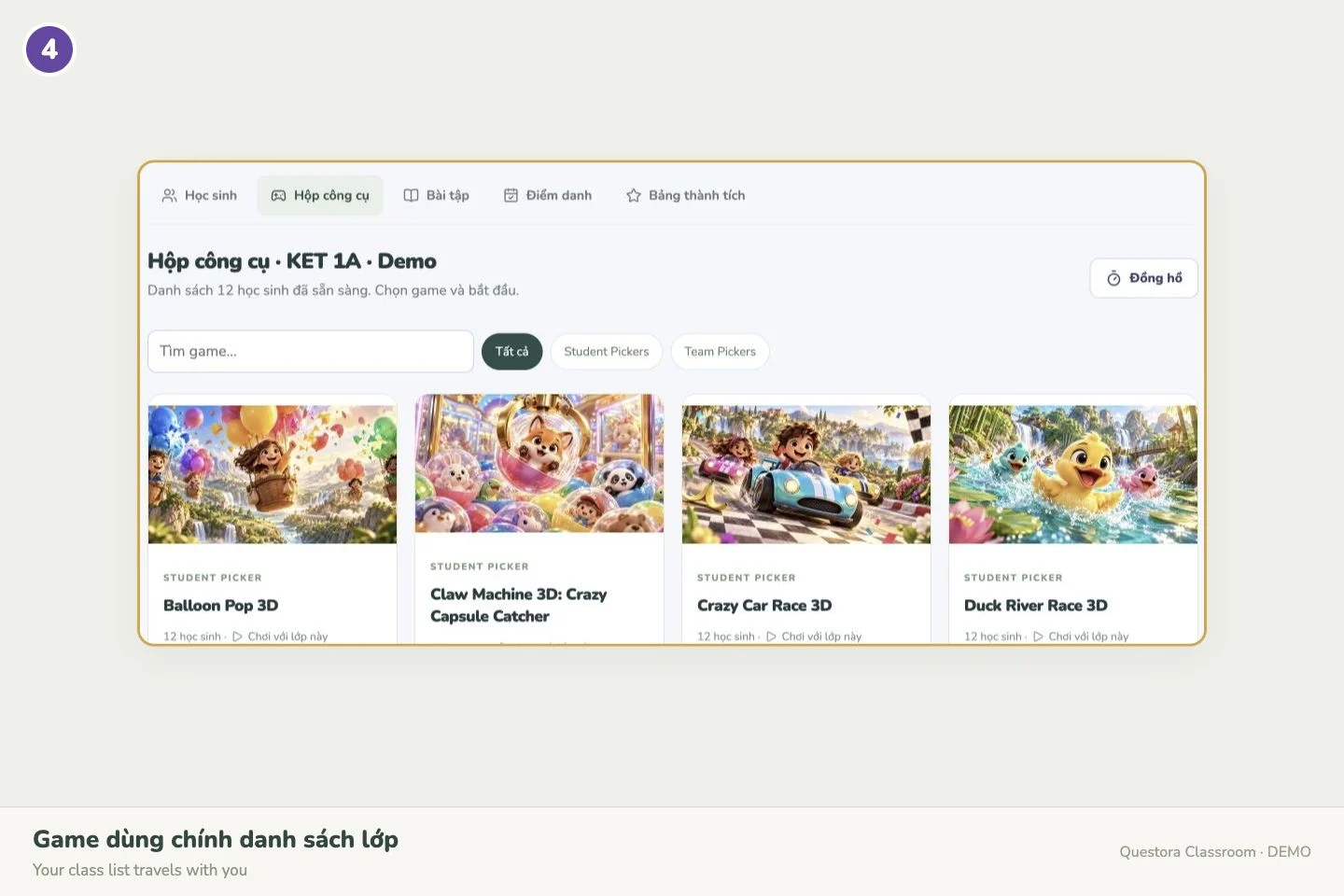 ↗ Enlarge screenshot
Open Homework → assign. Choose a My Library set, mode, deadline, attempts and reward. Save, then copy the assignment link.
Open Homework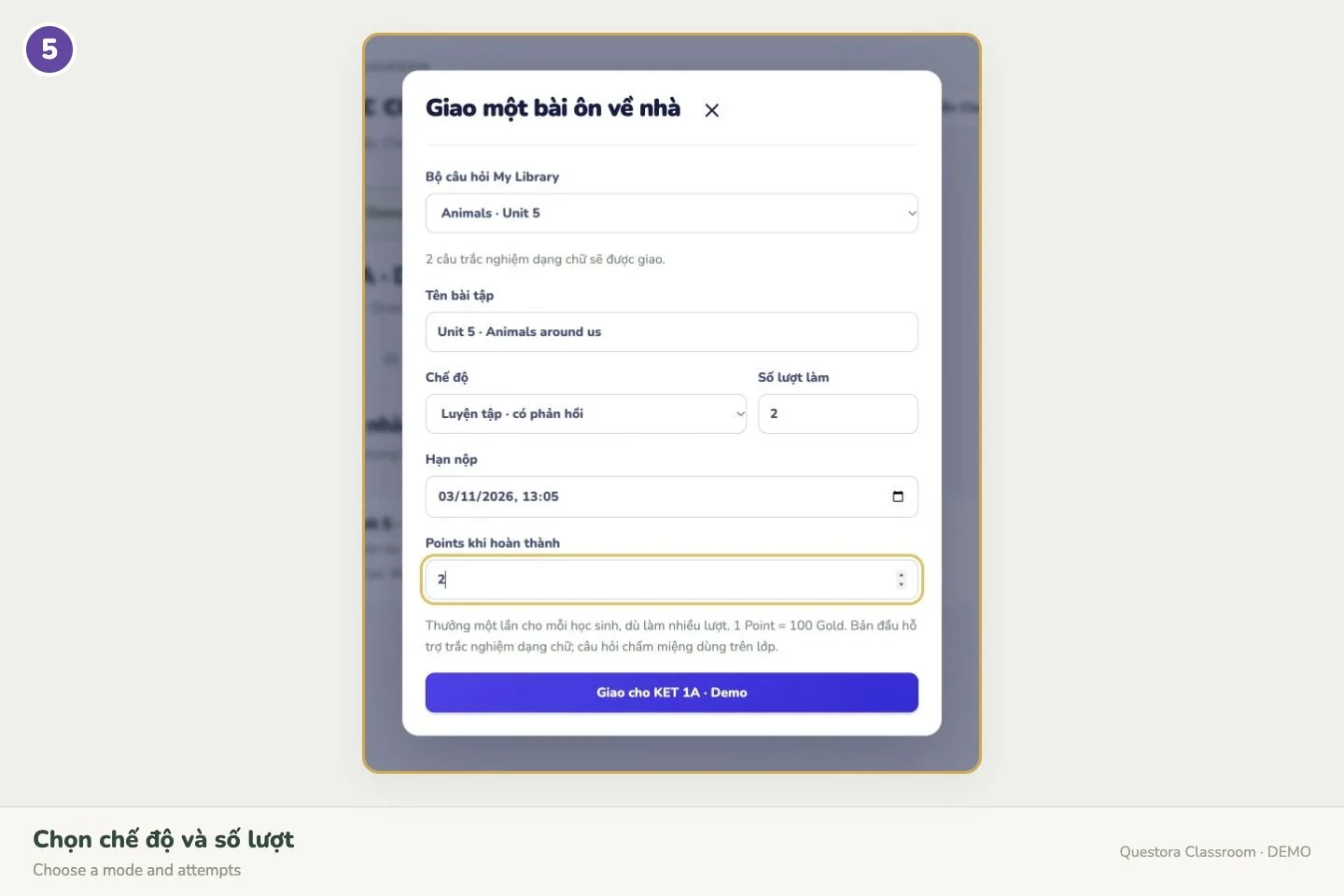 ↗ Enlarge screenshot
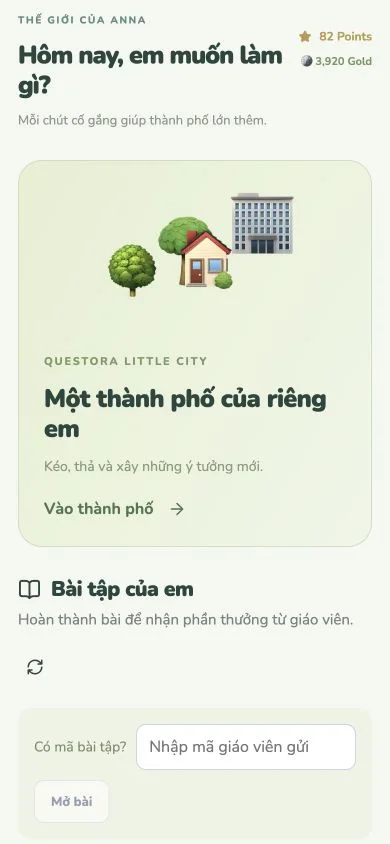
Students open questoraplay.app/student and use their teacher-issued ID/password. Choose homework or enter the city: BUILD → choose → place → rotate → confirm.
Open student portal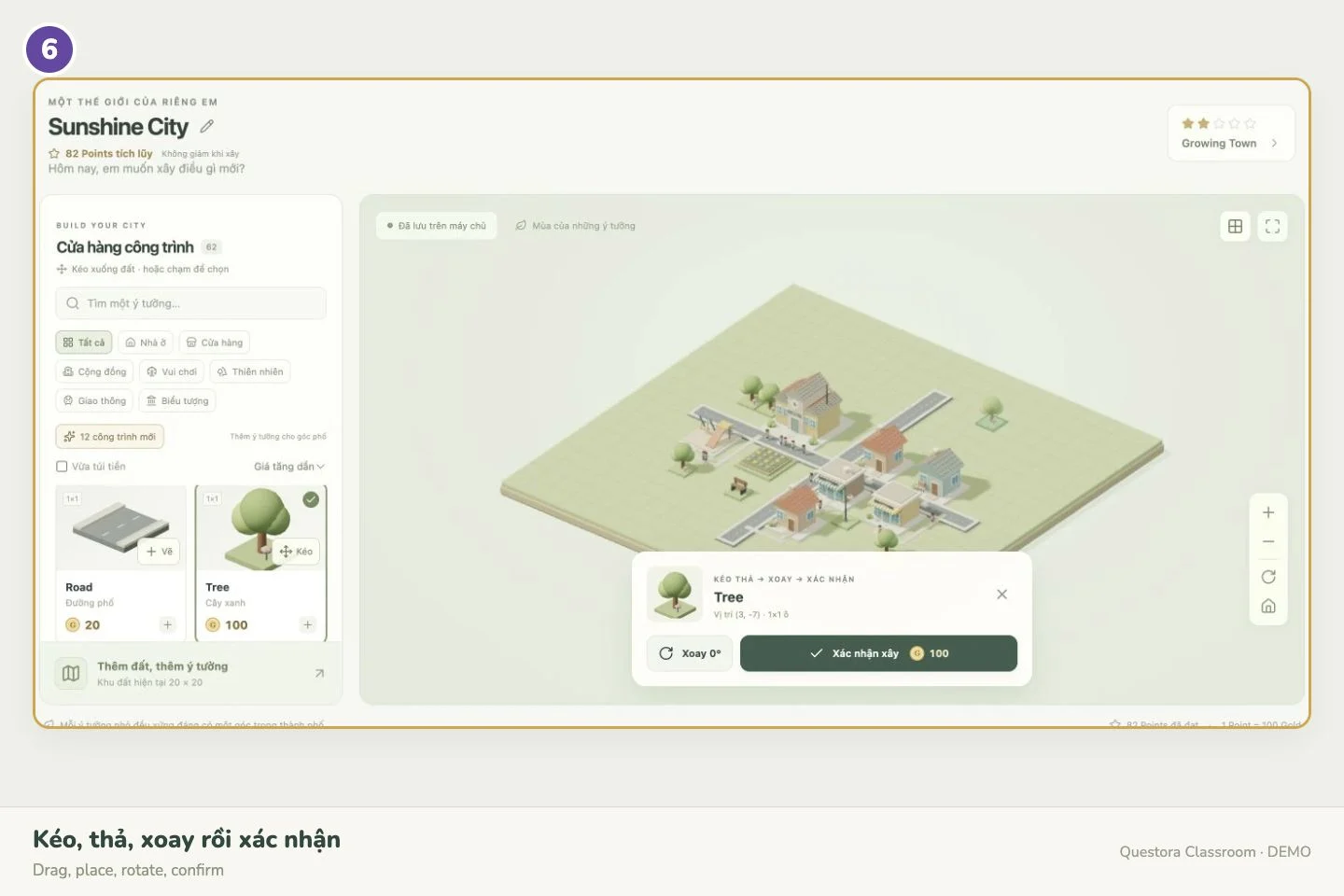 ↗ Enlarge screenshot
Homework currently supports text multiple-choice questions. Classroom games are teacher hosted; live PIN rooms are planned for a later release.
Use your existing Questora account, connect a class and start celebrating effort.
Manual points, basic attendance, homework and Little City.
Create your first classAttendance history, 7/30-day rankings and CSV exports for Excel.
Explore Questora ProNo. Teachers issue student IDs and passwords, used for both homework and city building at home.
Only Gold is spent on buildings or land. Earned Points stay on the leaderboard.
Yes. Open the student portal in a browser with Internet access. Account-based saves let students continue on another device.
Standalone Little City accounts have not been migrated automatically. Create a Questora class or connect a saved My Library roster.

A little effort today. A new corner of the city tomorrow.
Vietnamese/English images, videos and a parent quick guide.